 +
+
Format CVs directly from JobAdder
One click. 30 seconds. Professionally formatted. Format candidate CVs without ever leaving your JobAdder workflow.
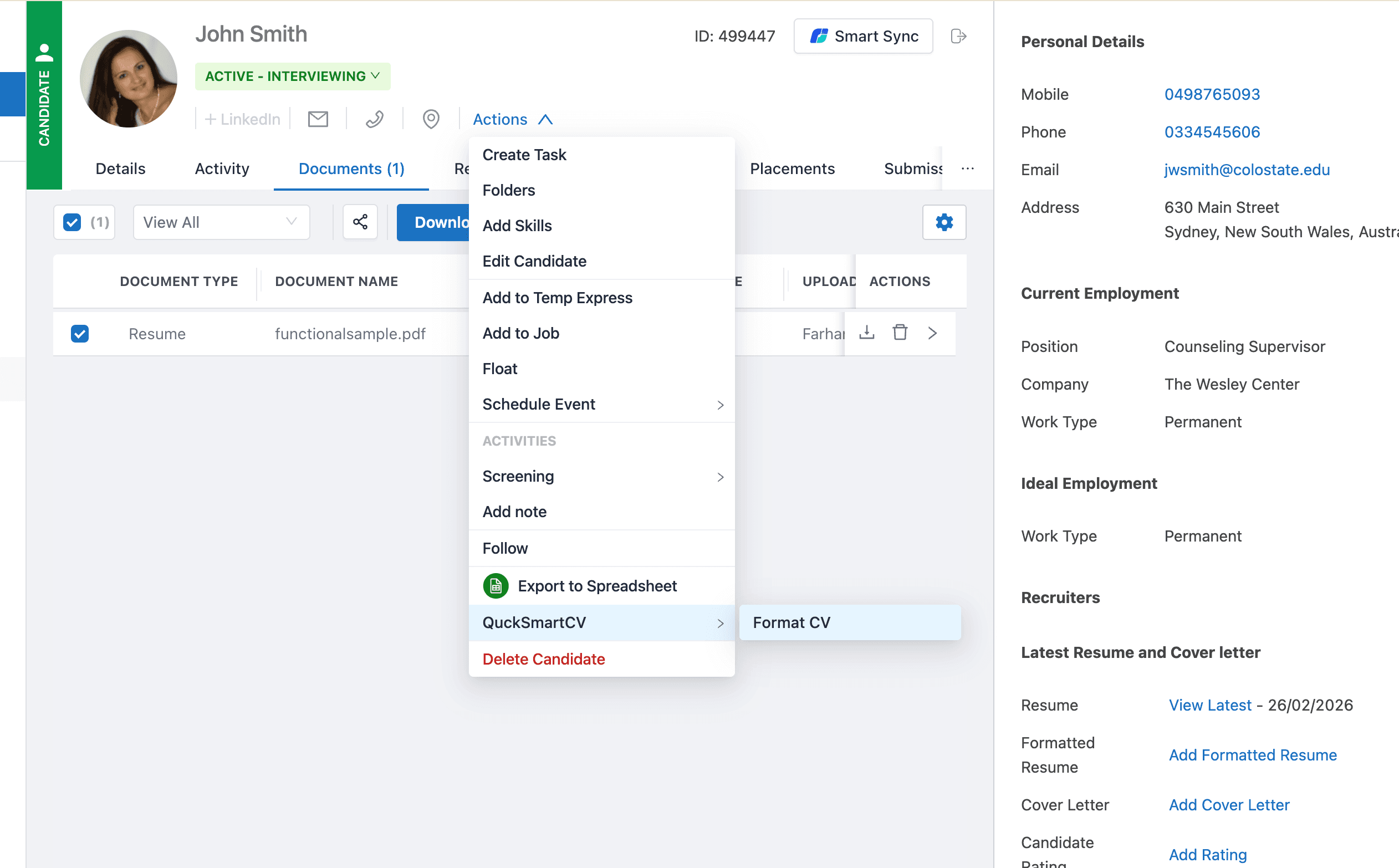
How It Works
Three simple steps to format CVs directly from JobAdder
1. Connect
Link your JobAdder account in one click via our Integrations page. Secure OAuth. We never store your password.
2. Click Format CV
In JobAdder, open any candidate profile. Use Actions → QuickSmartCV → Format CV. The button appears on every candidate page.
3. Done
Our AI formats the CV in ~30 seconds and uploads it back to JobAdder. The formatted version is added to the candidate's documents.
Why Use JobAdder + QuickSmartCV?
Built for recruiters who value their time
Saved per CV
Manual formatting takes ~30 minutes. We do it in 30 seconds.
Click
No copy-paste, no switching tabs. Format from the Actions menu.
Context switching
Stay in JobAdder. Format, upload, and continue screening.
Time reduction
From 30 minutes to 30 seconds. Reclaim time for placements.
Professional formatting, instantly
Our AI extracts content from any CV, applies your preferred template, and produces a polished, client-ready document. The same quality you get on QuickSmartCV. Now inside JobAdder.
- Works with DOC, DOCX, PDF
- Uses your QuickSmartCV settings & template
- Formatted CV uploaded straight to candidate documents
- Uses your credits. One format per credit

Ready to format CVs from JobAdder?
Connect your account and start saving 30 minutes per CV.